


Short answer: Elementor Pro is the paid version of the drag-and-drop page builder for WordPress. It adds forms, a Theme Builder for headers and footers, and Loop Grid, which lists articles or projects automatically. With a WordPress site built in Elementor Pro, business owners really can edit text, images, prices and articles themselves, provided the builder set the backend up properly: standard widgets, site-wide colour and font settings, and saved templates for repeated blocks. Technical work such as updates and security can be left to a care team.
The question we hear most before a project starts is "will I really be able to edit a WordPress site myself?" Many people have had a site where changing one line meant messaging the developer. This article explains what Elementor Pro is, how hard WordPress actually is, and how we set up the backend so clients can edit it, undo mistakes and grow the site as the business grows.
What WordPress is, and why most businesses use it
WordPress is an open-source content management system (CMS). According to W3Techs data for 5 Oct 2026, WordPress runs 40.1% of all websites and 58.6% of sites whose CMS is known. That brings practical benefits: it is easy to find someone to maintain it, you can change hosting, and there are plugins for almost any job.
But plain WordPress does not make a site good-looking or easy to edit on its own. How easy the backend is depends on the page builder, and on how the person building the site uses it.
What Elementor Pro is, and how it differs from the free version
Elementor is a drag-and-drop page builder that shows the real page while you edit. The free version has basic widgets such as headings, text, images, buttons and Containers. Pro adds the tools business sites need.
| Capability | Elementor Free | Elementor Pro |
|---|---|---|
| Drag-and-drop pages built with Containers | Yes | Yes |
| Site-wide colours and fonts (Global Colors / Fonts) | Yes | Yes |
| Contact forms that send to email | No | Yes |
| Theme Builder for header, footer and article pages | No | Yes |
| Loop Grid that lists articles, projects or products automatically | No | Yes |
Elementor Pro comes in several plan tiers, and some features, such as Popup Builder and Custom CSS, are not in the entry tier (Essential). Our clients do not buy it themselves: the licence is included in the ฿3,500 yearly system fee, and it does not lock you in. If you ever take the site over, you buy your own licence and the whole site keeps working.
Is WordPress hard? What is easy, and what to leave to a team
It depends on the task. Routine work you can do yourself; system work should have someone looking after it.
- Yours after one training session: changing text, swapping images, updating prices, writing and scheduling articles, and filling in titles and descriptions in the SEO plugin.
- Yours when there is a template: adding projects, products or service pages from layouts already designed.
- Best left to a care team: updating WordPress, plugins and Elementor, backups, security, speed and hosting moves, because a mistake there can take the whole site down.
Giving each person the right access also keeps it simple. WordPress has built-in user roles.
| Role | Can do | Suits |
|---|---|---|
| Administrator | Everything, including installing plugins and changing settings | The site owner and the team maintaining the system |
| Editor | Write, edit and publish all content, but cannot touch system settings | Marketing staff or whoever updates the site regularly |
| Author | Write and publish their own articles | Article writers |
We recommend that people who update the site day to day use the Editor role, with Administrator accounts kept by the owner. It lowers the chance of someone switching off a plugin or changing a setting that breaks the site.
How we set up a backend clients can edit
Two WordPress sites using the same Elementor Pro can differ a lot in how easy they are to edit, depending on how they were built. These are the steps we follow on every project.
- Design you see firstReal web pages on a preview link, unlimited revisions during design
- Set brand defaultsGlobal Colors and Global Fonts from the approved design
- Build with standard widgetsInside Flexbox Containers, no locked custom code
- Turn repeated blocks into templatesEdit once, every page updates
- Check every page at every sizeMobile, tablet and desktop, with real form tests
- Training and a written guideAdmin rights and the domain in your name
The most important step is building with Elementor's standard widgets. Many sites paste in whole blocks of HTML code instead. On screen they look the same, but when the owner wants to change a line, they have to edit code. We choose the approach that takes longer to build, so that every line of text, every image and every button can be edited from Elementor's side panel.
As for brand defaults: if you ever want to change the site's main colour, you change it once in Global Colors and every page using that colour follows. No hunting through pages one by one.
Can you undo a mistake?
Yes, at several levels.
- WordPress Revisions: earlier versions of pages and articles are kept, so you can compare and restore them.
- Elementor History: while editing a page you can undo recent actions, and there is a list of saved versions.
- Full-site backups: on the monthly care plan, automatic backups can restore the whole site if a problem is bigger than one page.
Growing later, without a rebuild
An often overlooked strength of WordPress is growing on what you already have. Sites we hand over can grow like this:
- More pages: built from templates already designed, ฿2,000 per page, or added yourself from a template.
- More languages: Polylang gives each language its own URL, with hreflang so Google shows searchers the right one.
- An online shop: WooCommerce installed on the same site.
- Ad landing pages: built from the same design system, so the brand stays consistent.
- SEO and GEO: new articles on the structure already in place, to rank on Google and be cited by AI.
Connecting the site to other company systems, such as a CRM or stock system, is possible too, but we quote it separately because it depends on the systems you use.
A real example: a WordPress site ranked #1 within 39 days
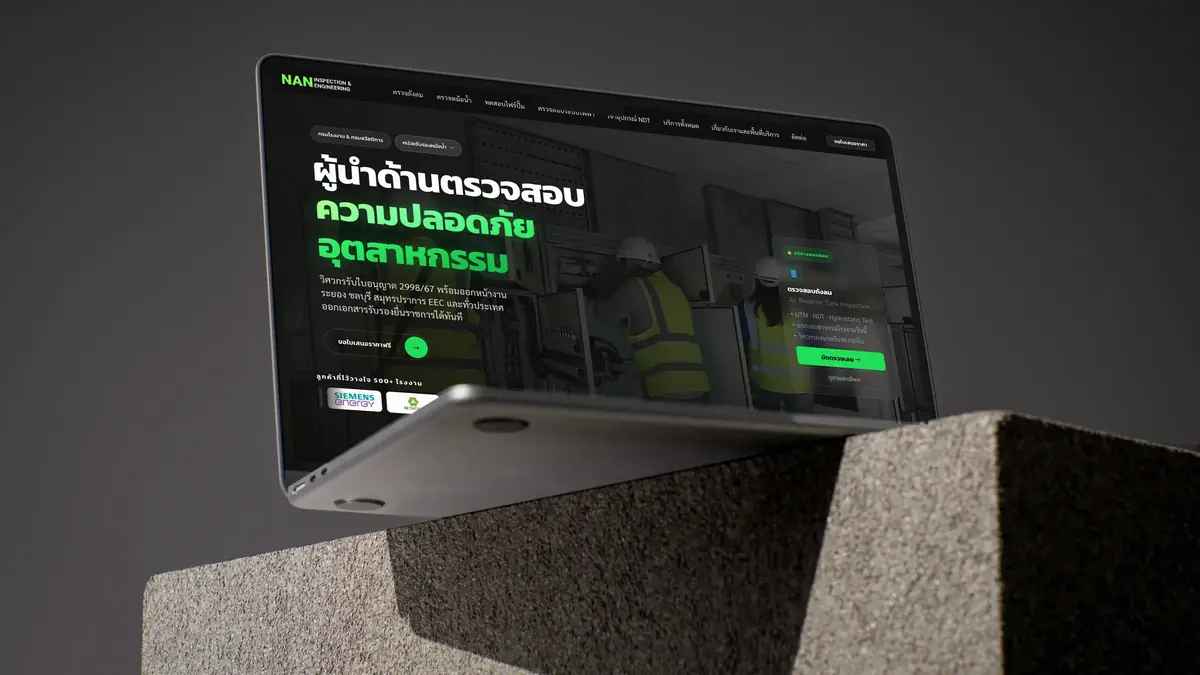
N.A.N. Inspection & Engineering is an inspection and engineering firm in Rayong. We built a new 9-page site on WordPress with Elementor, set up Rank Math, GA4 and Search Console, and added 301 redirects from the old site so existing rankings were kept. Within 39 days of launch it ranked #1 on Google for "หน่วยรับรองหม้อน้ำ" (boiler certification body), with a 5.45 average position across all searches (Search Console), and Google AI Overview recommends it first. Read the full case: N.A.N. Inspection.
Want a WordPress site you can really edit yourself?
Tell us about the business or send your current site. We research competitors and plan the pages first, then walk you through the plan on our first call, free.
A handover checklist for any WordPress site
- An Administrator account in your name, not only the developer's account
- The domain registered in your business name
- A list of plugins and licences: which are paid, who owns them, and when they renew
- No pirated (nulled) plugins, a common way for malware to get in
- Backups in place, and you know how restoring works
- Google Analytics and Search Console owned by you
- A guide to editing content, and a real practice edit at handover
Summary
A WordPress site built with Elementor Pro really is editable by its owner, if the backend is set up properly from the start. Routine work is yours, system work goes to a care team, and as the business grows the site grows on what is already there. See the tools, process and results on our WordPress website development page.