



Short answer: Google Search Console is Google's free tool that shows how your website appears in search results: what people searched, how often your site was shown and clicked, its average position, and which pages Google has not indexed. Search Console does not raise rankings by itself, but it is the real data Daaistudio uses to plan and report SEO GEO work for clients every month.
Many business owners first hear "Search Console" at website handover and never open it again. Google Thailand autocomplete (checked 3 November 2026) suggests "google search console คือ" (what is Google Search Console), "google search console ใช้ ยัง ไง" (how to use it), "google search console วิธีใช้" (how-to) and "google search console ติด ตั้ง" (setup), so people want both the meaning and the method. We have not measured search volume for these terms. This article explains it from Google's own documentation and from how we use it on real client sites.
What Google Search Console is, and who it is for
Google describes Search Console as a free service that helps you monitor, maintain and troubleshoot your site's presence in Google Search. The users Google lists include business owners, SEO specialists and marketers, site administrators and web developers.
Two things are worth knowing from the start:
- You appear on Google without it: Google states that being included in search results does not require signing up for Search Console.
- It does not push rankings: Search Console is a tool for seeing data and spotting problems. Installing it does not move your site up. What moves rankings is fixing what the data shows.
Google's getting-started guide says you do not need to log in every day; about once a month is enough, and Google emails site owners when it finds a new issue.
Setting it up: Domain or URL-prefix property
The first step is adding your site as a "property" and verifying that you own it. There are two types.
| Property type | What it covers | How it is verified |
|---|---|---|
| Domain | All subdomains (www, m and others), on both http and https | A DNS record at your domain provider only |
| URL-prefix | Only URLs starting with the exact prefix, including http or https | Several methods to choose from |
On our projects we choose a Domain property whenever we can reach the DNS, because it shows every version of the site in one place and does not break when a site moves from http to https. After verification we submit the sitemap in the Sitemaps report so Google knows which pages exist. Google itself notes that submitting a sitemap does not mean every URL will be crawled.
The four numbers in the Performance report
The Performance report is the page a business owner should open first. By default it shows the last three months, and you can break it down by query, page, country, device and date.
| Number | Google's definition | How an owner can read it |
|---|---|---|
| Clicks | How many times people clicked through to your site from Google Search results | People interested enough to visit |
| Impressions | How many times your site appeared in search results | How often you were "in view" |
| CTR | Clicks divided by impressions | How well your page titles and descriptions invite a click |
| Average position | The average position of your site's topmost result | An overall picture, not the rank you see on one day |
Worth knowing: the newest data is preliminary and can change within a few hours, and the report splits search types into Web, Image, Video and News. The first thing we look for is pages with high impressions but low CTR. Google is already showing them, but the title or description does not answer what people searched. Fixing that usually takes less time than writing a new page.
Pages Google has not indexed: the indexing report and URL Inspection
A page that is not in Google's index cannot appear in search at all. The Page indexing report shows how many of the URLs Google knows about are indexed, and why the others are not, for example the status "Discovered - currently not indexed", which means Google knows the page exists but has not indexed it yet. Google recommends this report for sites with more than about 500 pages; for smaller sites a site: search with your domain gives a good picture.
The URL Inspection tool checks one page at a time: which version Google has indexed, and whether the live page can be indexed. Google is clear on two points: each property has a daily inspection limit, and even "URL is on Google" does not guarantee the page will show in results.
A lesson from our own site: in October 2026 we saw several new daaistudio.com articles sitting in "Discovered - currently not indexed". The main cause we found was that new articles had no links pointing to them from other pages' content. Now every new article gets links from its main guide and from posts in the same topic on the day it goes live, and we still request indexing for a few new pages a day through URL Inspection.
Search Console and AI Overviews: what the report cannot show
Google's AI features documentation states that sites appearing in AI Overviews and AI Mode are counted in the Performance report under the Web search type, together with regular results, with no separate column. Opening Search Console alone will not tell you whether an AI answer mentions your business. So each month we search our clients' real customer questions on Google and keep dated screenshots in the report, next to the Search Console figures.
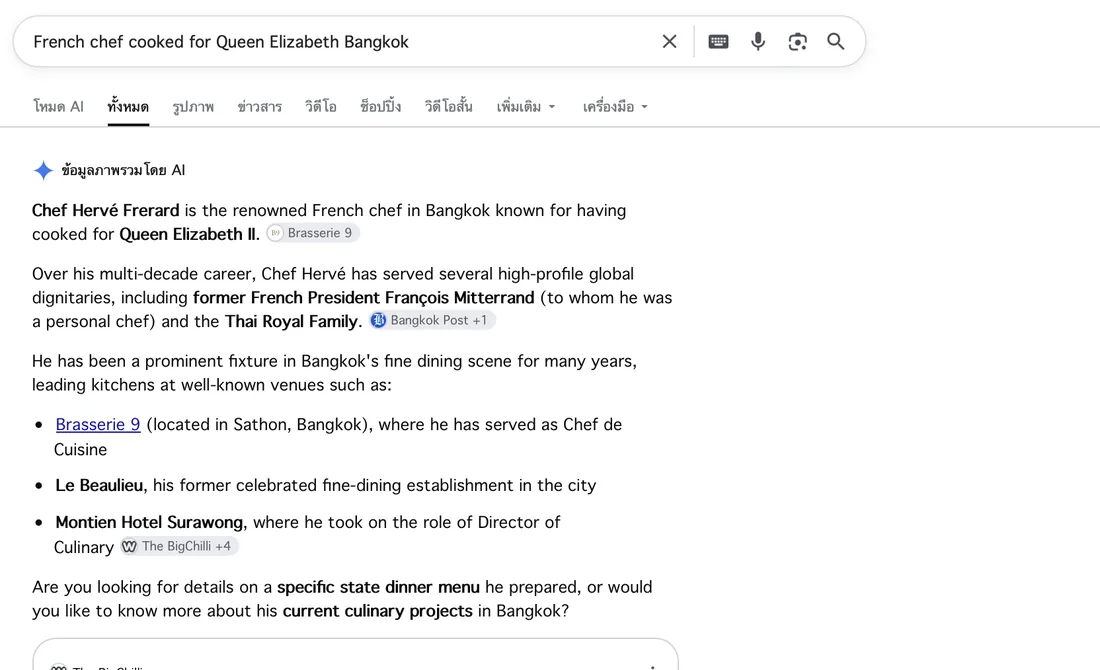
Google's AI Overview answers with the chef's name and Brasserie 9. Appearances like this are counted inside Search Console's Web search type, so we keep screenshots in the report (screenshot from the client's report, September 2026)
Brasserie 9 is a French restaurant in Sathorn Soi 6 whose SEO and GEO we handle monthly. A screenshot like this is proof anyone can re-check, unlike Search Console figures, which are the client's private data and which we do not show in articles.
How Search Console differs from GA4
| Google Search Console | GA4 (Google Analytics) | |
|---|---|---|
| Which part of the story | On Google, before the click | On your site, after people arrive |
| Questions it answers | What people searched, how often you were shown, your position, which pages are not indexed | Where visitors came from, which pages they viewed, whether they booked, called or sent a form |
| What you use it for | Choosing the searches and pages to improve | Measuring how many visitors become customers |
Google's own documentation suggests using Search Console together with tools such as Google Analytics to track conversions and time on site. Every site we hand over has both installed.
Who should own Search Console
Search Console has three main user levels: an Owner has full control and can add or remove users; a Full user can see all data and take some actions; a Restricted user has view rights on most data. Only an Owner can add users.
The rule we follow with every client: the Owner account belongs to the business, which then adds hello@daaistudio.com as a user. The history stays yours, whether you later look after the site yourself or change provider.
A real example: the data we use in client reports
N.A.N. Inspection & Engineering is an inspection and engineering firm in Rayong. We set up Search Console on the day the new site launched. Within 39 days the site ranked #1 on Google for "หน่วยรับรองหม้อน้ำ" (boiler certification body), with an average position of 5.45 across all searches according to Search Console. Read the full case: N.A.N. Inspection.
In monthly reports we use Search Console to answer four questions: which searches moved up or down, which pages are shown but not clicked, which pages are not indexed yet, and whether Google has flagged any issue. Then we write down what we will fix next month.
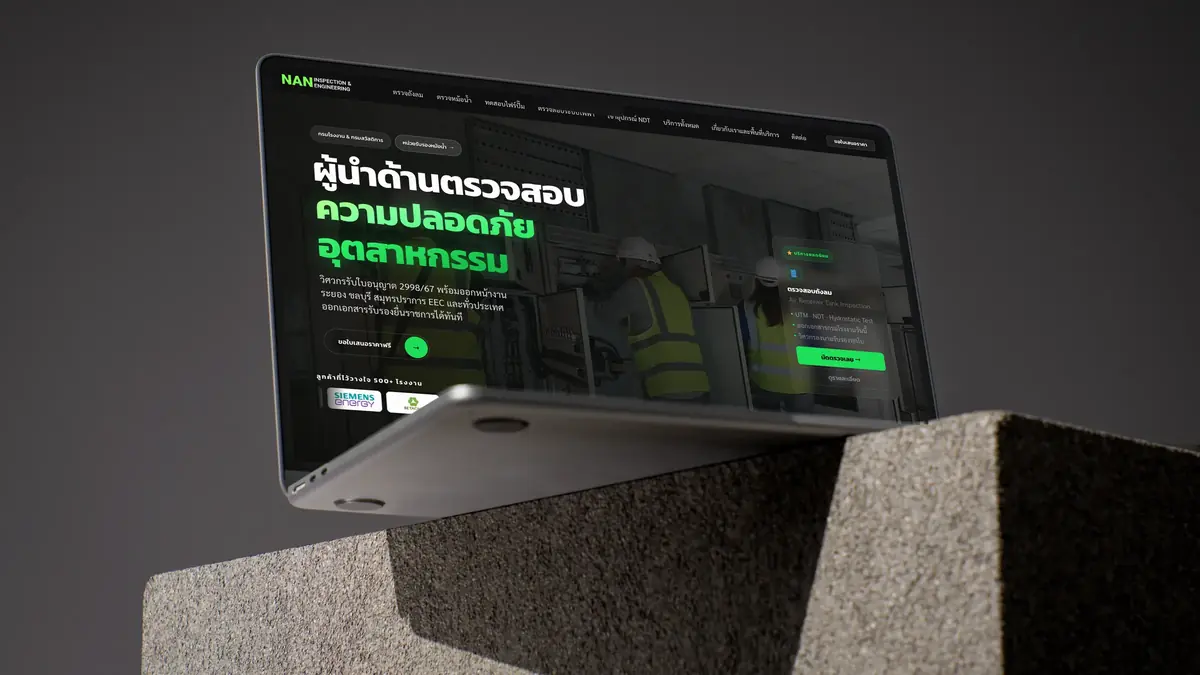


Professionalism our clients can see
We hold 5.0 ratings on both Google and Fastwork, with 18 jobs on Fastwork and 8 repeat clients. The restaurants Al Saray and Brasserie 9 renewed their SEO GEO care for 6 months after the first 3. You work directly with the founder; the studio team builds under the founder's direction.
Have Search Console but not sure where to look?
Send us your site. We check which pages Google has indexed, which it has not, and what to fix first, then plan it out for you, free.
A 10-minute monthly Search Console checklist
- The Owner account is a business email, not only the developer's
- Open the Performance report and compare the last three months with the period before, for clicks and impressions
- Find pages with high impressions and low CTR, then improve their titles and descriptions
- Open the Page indexing report and check that key pages, such as service pages, are indexed
- Check that the Sitemaps report shows Success
- Read Search Console alert emails; do not let them slide
- Search your customers' main questions on Google yourself and keep dated screenshots of AI answers
Summary
Google Search Console is a free tool that tells you the truth about where your site stands on Google. It does not push rankings, but it shows what to fix first. Use it with GA4 to see how many visitors become customers, and with dated screenshots of AI answers to cover what Search Console cannot separate. No one can guarantee Google rankings or AI answers; we show only real, measurable results. See what the monthly plan includes on our care + SEO GEO plan page.
Sources
- Google Search Console Help: About Search Console
- Google Search Central: Get started with Search Console
- Google Search Console Help: Performance report (Search results)
- Google Search Console Help: Page indexing report
- Google Search Console Help: URL Inspection tool
- Google Search Console Help: Add a website property
- Google Search Console Help: Managing owners, users, and permissions
- Google Search Console Help: Sitemaps report
- Google Search Central: AI features and your website