


Short answer: On 21 October 2026 the PHP project released versions 8.5.12, 8.4.27, 8.3.36 and 8.2.35 to fix two critical flaws that can let an outsider run code on a server without logging in. Every WordPress site and every PHP site is affected, but no WordPress update is needed. What business owners need to do is check their PHP version and have the host confirm the patch is installed. Daaistudio sums up what happened and gives a checklist below.
What happened
On 20 October 2026 the PHP security team gave advance notice of a release fixing two flaws, each rated CVSS v4.0 9.2. On 21 October at 14:00 UTC (21:00 Thai time) it published the advisory on php.net with the fixed versions.
- Two flaws: CVE-2026-109618 comes from out-of-memory handling, and CVE-2026-109619 from state left over from an earlier request. Both can allow remote code execution without authentication.
- Who is affected: every PHP installation serving web requests, including PHP-FPM, Apache with mod_php, php-cgi, FrankenPHP and LiteSpeed. PHP rates mod_php as the highest risk.
- Older versions: PHP 8.1 and older no longer get updates from the PHP project. PHP published minimal source patches for 7.4, 8.0 and 8.1 for people who build from source, and notes that PHP 8.2 reaches end of life on 31 December 2026.
The same day, WordPress.org posted a notice that the flaws are not specific to WordPress but affect any server running PHP. It states "No WordPress update is required or planned for these issues." (WordPress.org), and advises site owners to check their PHP version and contact their host.
What it means for Thai businesses
- Not only WordPress: company sites, WooCommerce shops, booking systems and custom PHP sites are all affected. Updating plugins in the dashboard does not fix this.
- Whoever runs the server fixes it: most business sites are on shared hosting, where the host updates PHP. Sites on a VPS or their own server need someone in the company or a system administrator to update it. If you do not know who that is, now is the time to find out.
- Older sites carry the most risk: sites nobody has touched for years often still run PHP 7.x, which no longer gets updates from the PHP project. Moving to a newer version can break an old theme or plugin, so back up and test first.
- A hacked site costs more than a down site: injected code can send visitors elsewhere or get the site flagged as unsafe by Google, which hurts both customer trust and search rankings.
How we are adapting our client work
A PHP patch is server-side work, so this news puts more weight on parts of our care plan we already run, and adds a PHP version check to the routine.
- PHP version in the status report: the monthly care plan already includes a monthly status report. We add the PHP version to it, next to the WordPress, theme and plugin versions.
- The host confirms, we do not guess: the version number in Site Health does not always show whether the host has applied a backported patch, so we ask the host to confirm in writing.
- Clear scope by hosting type: on managed hosting the care plan covers the whole system; on a bare VPS it covers WordPress only. So we tell the owner plainly who has to update PHP on that server.
- Back up before, test after: before changing the PHP version we take a restorable backup. Afterwards we open every main page and submit the forms for real, so our clients' customers can still get in touch.
- Handover says who looks after what: when we hand over a site, we tell the client who the host is, whose name the accounts are in, and who is responsible for system work, so nobody has to guess on a day like this.
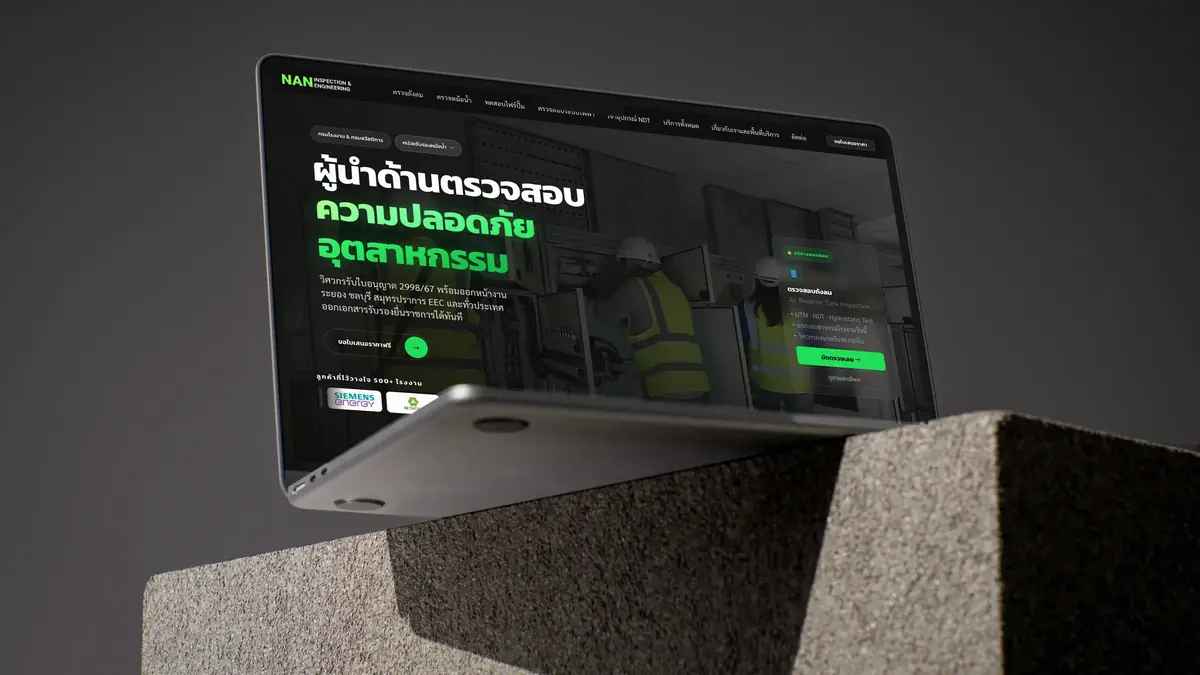
One WordPress site we look after is N.A.N. Inspection & Engineering, an inspection and engineering firm in Rayong. We rebuilt it on WordPress with Elementor, and it reached #1 on Google for "หน่วยรับรองหม้อน้ำ" (boiler certification body) within 39 days of launch. Rankings like that are only worth something while the site stays secure, and the same goes for all SEO work, from articles to the schema markup that helps Google and AI understand a business.
What to do now: a short checklist
- In WordPress, open Tools, then Site Health, the Info tab, the Server section, and note the PHP version
- Ask your host whether the server runs PHP 8.5.12, 8.4.27, 8.3.36 or 8.2.35, or an equivalent backported patch
- If you are on PHP 8.1 or older, plan a move to a supported version, and remember 8.2 reaches end of life on 31 December 2026
- Back up the whole site before changing the PHP version, and know how restoring works
- After the change, open every main page and test the forms and contact buttons for real
- If the site is on a VPS or your own server, have your administrator update PHP now

Not sure which PHP version your site runs?
Send us your site. In the free analysis plan we check the PHP version, plugins and the backend, then tell you what needs fixing and who should fix it.
See what the care plan covers and what it costs per year in Yearly website care costs, and if you are planning a new site, see our WordPress website development service.
Sources
- PHP.net: Security advisory, critical remote code execution vulnerabilities (21 Oct 2026)
- WordPress.org News: Critical PHP Security Release (21 Oct 2026)
- GitHub php-src: GHSA-w8hw-w9fx-j79w (CVE-2026-109618)
- GitHub php-src: GHSA-6wmf-4rv5-p3rp (CVE-2026-109619)
- PHP.net: Supported Versions
- WordPress.org: Update PHP